
Compare two mizer arrays in a single plot
Source:R/ArraySpeciesBySize-class.R, R/ArrayTimeBySpecies-class.R, R/ArrayTimeBySpeciesBySize-class.R, and 1 more
plot2.Rdplot2() compares two compatible mizer array objects in a single ggplot.
Colours identify species or groups, and linetype identifies which object
the values came from.
Usage
plot2(
  x,
  y,
  name1 = "First",
  name2 = "Second",
  species = NULL,
  log_x,
  log_y,
  log = NULL,
  ylim = c(NA, NA),
  total = FALSE,
  background = TRUE,
  highlight = NULL,
  y_ticks = 6,
  ...
)
Arguments
- x
The first of two compatible mizer array objects to compare. Can be an
ArraySpeciesBySize,ArrayTimeBySpecies,ArrayTimeBySpeciesBySize,ArrayResourceBySizeorArrayTimeByResourceBySizeobject.- y
The second mizer array object, compatible with
x.- name1, name2
Labels for the two objects, used in the linetype legend.
- species
Character vector of species to include.
NULL(default) means all species. A resource array holds a single spectrum, so this argument is not used by the resource methods, which warn if it is set.- log_x
If
TRUE, use a log10 x-axis. Default isTRUEfor size spectra andFALSEfor time series.- log_y
If
TRUE, use a log10 y-axis. Default isFALSEforArraySpeciesBySizeandTRUEforArrayTimeBySpeciesand for the resource classes.- log
Character string specifying which axes should use log10 scales, in the same form as the base
plot()argument. For example,"x","y","xy"or"". If supplied, this overrideslog_xandlog_y.- ylim
A numeric vector of length two providing lower and upper limits for the value (y) axis. Use
NAto refer to the existing minimum or maximum.- total
A boolean value that determines whether the total is plotted as well. The total is the total of everything the array holds, every species and every size, whatever is drawn. Default is
FALSE. Not used by the resource methods, which warn if it is set.- background
A boolean value that determines whether background species are included. Ignored if the model does not contain background species. Default is
TRUE. Not used by the resource methods, which warn if it is set.- highlight
Name or vector of names of the species to be highlighted with a thicker line.
- y_ticks
The approximate number of ticks desired on the y axis.
- ...
Further arguments used by only some of the methods:
For the
ArraySpeciesBySize,ArrayTimeBySpeciesBySize,ArrayResourceBySizeandArrayTimeByResourceBySizemethods:wlimA numeric vector of length two providing lower and upper limits for the weight (x) axis. Use
NAto refer to the existing minimum or maximum.
For the
ArraySpeciesBySizeandArrayTimeBySpeciesBySizemethods:all.sizesIf
FALSE(default), values outside a species' size range (w_mintow_max) are removed.llimA numeric vector of length two providing lower and upper limits for the length (x) axis when
size_axis = "l". UseNAto refer to the existing minimum or maximum.size_axisWhether to plot size as weight (
"w", default) or length ("l"), using the allometric weight-length relationship of each species, or of the resource, seeresource_params().per_log_sizeFor an array that holds a density, whether to plot it per logarithmic size (
TRUE) rather than per size (FALSE). The default,NULL, plots the density as it stands. Unlikesize_axisthis needs no weight-length relationship, so it is available for the resource classes too. An error for an array that does not hold a density.
For
ArrayTimeBySpeciesmethods:tlimA numeric vector of length two providing lower and upper limits for the time axis, e.g.
c(1980, 2000). UseNAto apply no limit at that end. Default isc(NA, NA).
For the
ArrayTimeBySpeciesBySizeandArrayTimeByResourceBySizemethods:timeThe time to display. Default (
NULL) is the final time step.
See also
Other plotting functions:
addPlot(),
animate(),
plot,
plotBiomass(),
plotCDF(),
plotCDF2(),
plotDiet(),
plotFMort(),
plotFeedingLevel(),
plotGrowthCurves(),
plotMizerParams,
plotMizerSim,
plotPredMort(),
plotRelative(),
plotSpectra(),
plotSpectra2(),
plotSpectraRelative(),
plotYield(),
plotYieldGear(),
plotYieldVsF(),
plotting_functions
Examples
# \donttest{
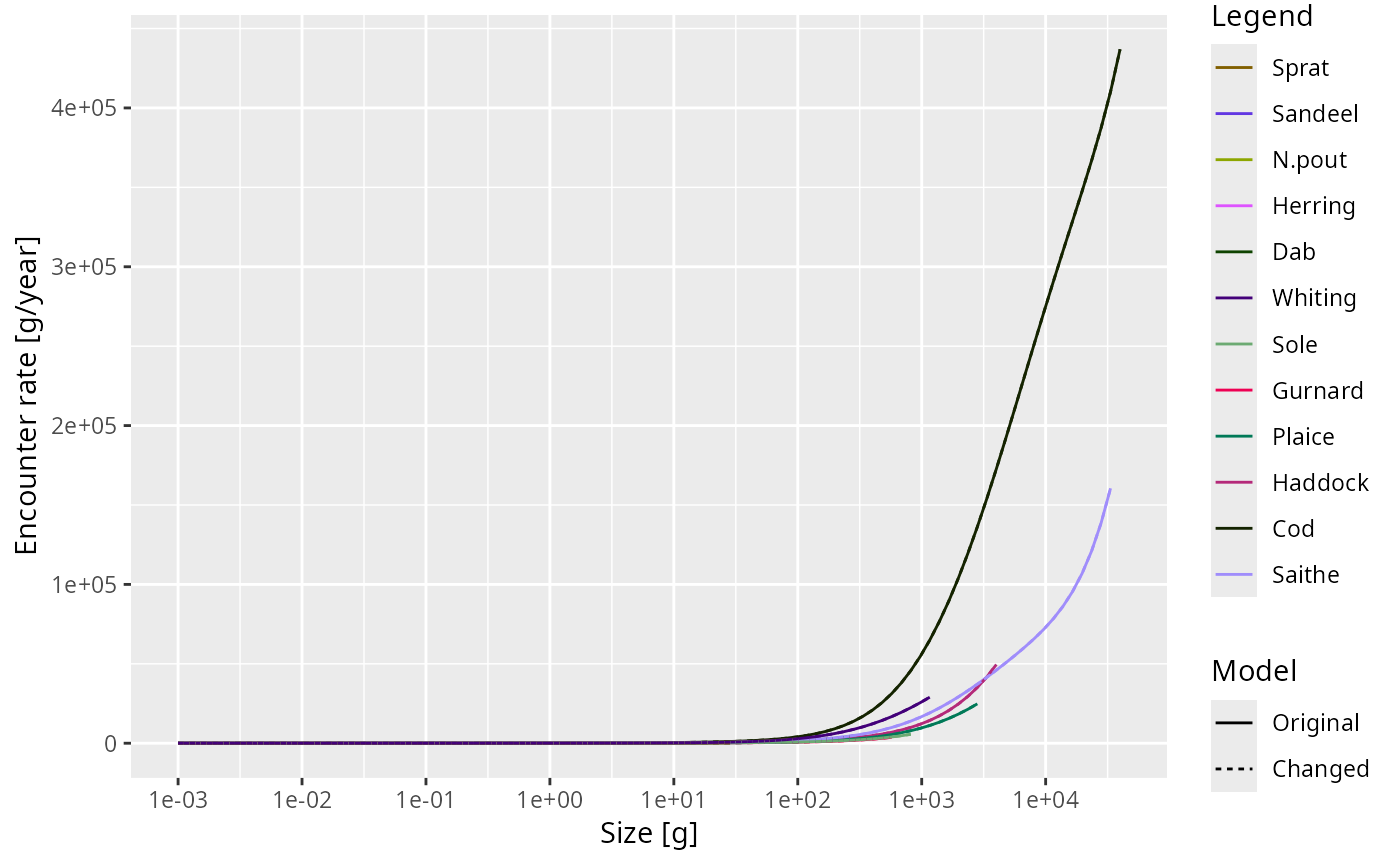
plot2(getEncounter(NS_params), getEncounter(NS_params))
#> ℹ No `a` column so using a = 0.01 in w = a l^b, with w in g and l in cm.
#> ℹ No `b` column so using the isometric default b = 3 in w = a l^b.
#> ℹ No `a` column so using a = 0.01 in w = a l^b, with w in g and l in cm.
#> ℹ No `b` column so using the isometric default b = 3 in w = a l^b.
#> ℹ No `a` column so using a = 0.01 in w = a l^b, with w in g and l in cm.
#> ℹ No `b` column so using the isometric default b = 3 in w = a l^b.
#> ℹ No `a` column so using a = 0.01 in w = a l^b, with w in g and l in cm.
#> ℹ No `b` column so using the isometric default b = 3 in w = a l^b.
#> ℹ No `a` column so using a = 0.01 in w = a l^b, with w in g and l in cm.
#> ℹ No `b` column so using the isometric default b = 3 in w = a l^b.
#> ℹ No `a` column so using a = 0.01 in w = a l^b, with w in g and l in cm.
#> ℹ No `b` column so using the isometric default b = 3 in w = a l^b.
#> ℹ No `a` column so using a = 0.01 in w = a l^b, with w in g and l in cm.
#> ℹ No `b` column so using the isometric default b = 3 in w = a l^b.
#> ℹ No `a` column so using a = 0.01 in w = a l^b, with w in g and l in cm.
#> ℹ No `b` column so using the isometric default b = 3 in w = a l^b.
 plot2(getResourceMort(NS_params), getResourceMort(NS_params))
#> ℹ No `a` column so using a = 0.01 in w = a l^b, with w in g and l in cm.
#> ℹ No `b` column so using the isometric default b = 3 in w = a l^b.
#> ℹ No `a` column so using a = 0.01 in w = a l^b, with w in g and l in cm.
#> ℹ No `b` column so using the isometric default b = 3 in w = a l^b.
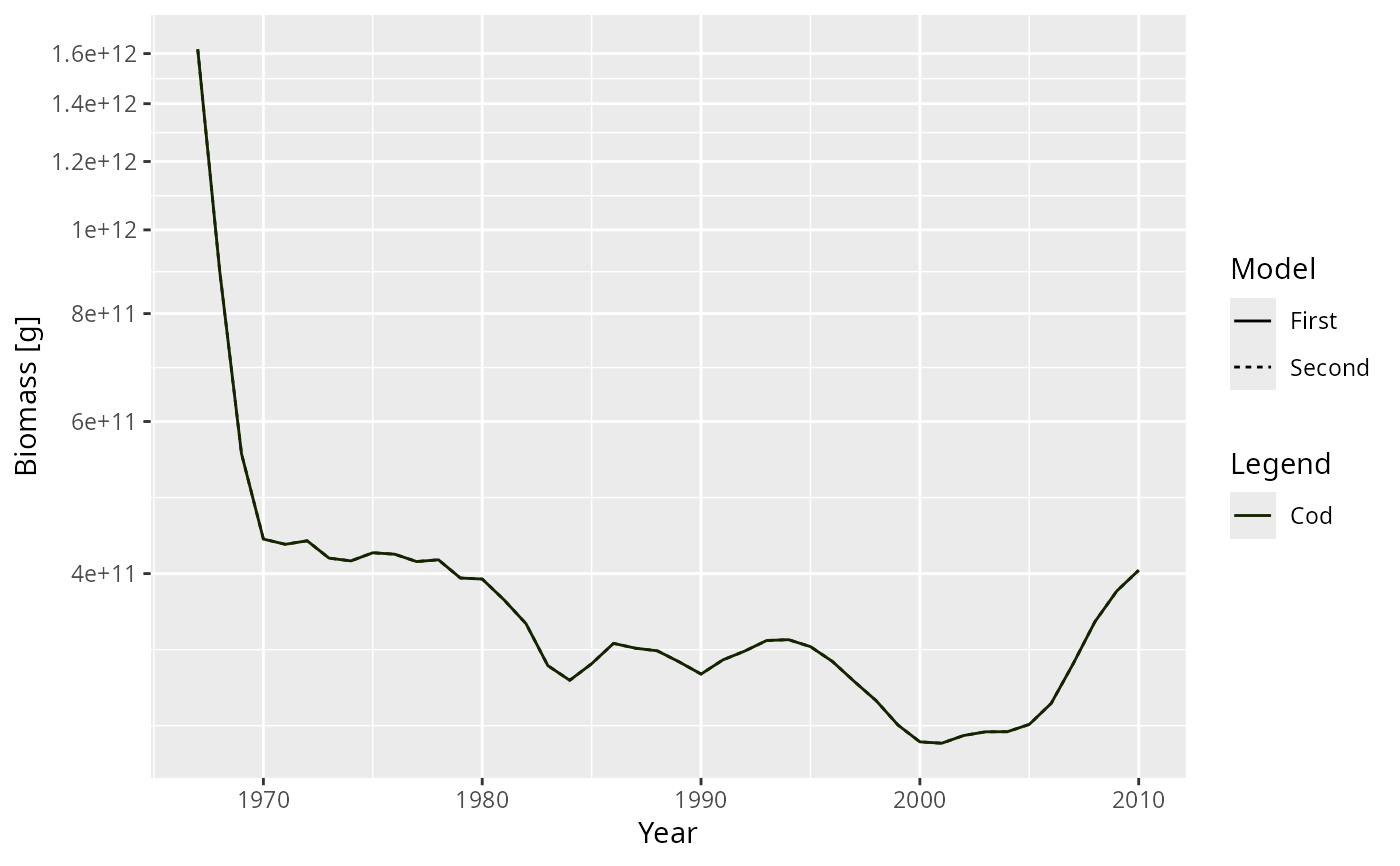
plot2(getResourceMort(NS_params), getResourceMort(NS_params))
#> ℹ No `a` column so using a = 0.01 in w = a l^b, with w in g and l in cm.
#> ℹ No `b` column so using the isometric default b = 3 in w = a l^b.
#> ℹ No `a` column so using a = 0.01 in w = a l^b, with w in g and l in cm.
#> ℹ No `b` column so using the isometric default b = 3 in w = a l^b.
 # }
# }