
Add lines to an existing plot
Source:R/ArraySpeciesBySize-class.R, R/ArrayTimeBySpecies-class.R, R/ArrayTimeBySpeciesBySize-class.R, and 1 more
addPlot.Rd![[Experimental]](figures/lifecycle-experimental.svg)
addPlot() adds another set of values to an existing ggplot, for example to
compare the same rate before and after a model change. There are methods for
all the mizer array classes. Each checks whether the existing plot uses a
compatible x variable, and warns if the y variable or y-axis units appear to
differ.
Usage
addPlot(
  plot,
  x,
  species = NULL,
  total = FALSE,
  background = TRUE,
  colour = NULL,
  linetype = "dashed",
  linewidth = 0.8,
  alpha = 1,
  ...
)
Arguments
- plot
A ggplot2 object to which the new values should be added.
- x
An object containing the values to add. Can be an
ArraySpeciesBySize,ArrayTimeBySpecies,ArrayTimeBySpeciesBySize,ArrayResourceBySizeorArrayTimeByResourceBySizeobject.- species
Character vector of species to include.
NULL(default) means all species. A resource array holds a single spectrum, so this argument is not used by the resource methods, which warn if it is set.- total
A boolean value that determines whether the total is plotted as well. The total is the total of everything the array holds, every species and every size, whatever is drawn. Default is
FALSE. Not used by the resource methods, which warn if it is set.- background
A boolean value that determines whether background species are included. Ignored if the model does not contain background species. Default is
TRUE. Not used by the resource methods, which warn if it is set.- colour
Optional fixed colour for the added lines. If
NULL, the species colours from the existing plot are used. Because a resource array is a single line whose "Resource" level may be missing from the existing plot's colour scale, the resource methods instead default to the fixed resource colour fromgetColours().- linetype
Optional fixed line type for the added lines. If
NULL, the species line types from the existing plot are used.- linewidth
Width of the added lines.
- alpha
Transparency of the added lines.
- ...
Further arguments used by only some of the methods:
For the
ArraySpeciesBySize,ArrayTimeBySpeciesBySize,ArrayResourceBySizeandArrayTimeByResourceBySizemethods:wlimA numeric vector of length two providing lower and upper limits for the weight (x) axis. Use
NAto refer to the existing minimum or maximum.
For the
ArraySpeciesBySizeandArrayTimeBySpeciesBySizemethods:all.sizesIf
FALSE(default), values outside a species' size range (w_mintow_max) are removed.llimA numeric vector of length two providing lower and upper limits for the length (x) axis when
size_axis = "l". UseNAto refer to the existing minimum or maximum.size_axisWhether to plot size as weight (
"w", default) or length ("l"), using the allometric weight-length relationship of each species, or of the resource, seeresource_params().per_log_sizeFor an array that holds a density, whether to plot it per logarithmic size (
TRUE) rather than per size (FALSE). The default,NULL, plots the density as it stands. Unlikesize_axisthis needs no weight-length relationship, so it is available for the resource classes too. An error for an array that does not hold a density.
For
ArrayTimeBySpeciesmethods:tlimA numeric vector of length two providing lower and upper limits for the time axis, e.g.
c(1980, 2000). UseNAto apply no limit at that end. Default isc(NA, NA).ylimA numeric vector of length two providing lower and upper limits for the value (y) axis.
For the
ArrayTimeBySpeciesBySizeandArrayTimeByResourceBySizemethods:timeThe time to display. Default (
NULL) is the final time step.
See also
Other plotting functions:
animate(),
plot,
plot2(),
plotBiomass(),
plotCDF(),
plotCDF2(),
plotDiet(),
plotFMort(),
plotFeedingLevel(),
plotGrowthCurves(),
plotMizerParams,
plotMizerSim,
plotPredMort(),
plotRelative(),
plotSpectra(),
plotSpectra2(),
plotSpectraRelative(),
plotYield(),
plotYieldGear(),
plotYieldVsF(),
plotting_functions
Examples
# \donttest{
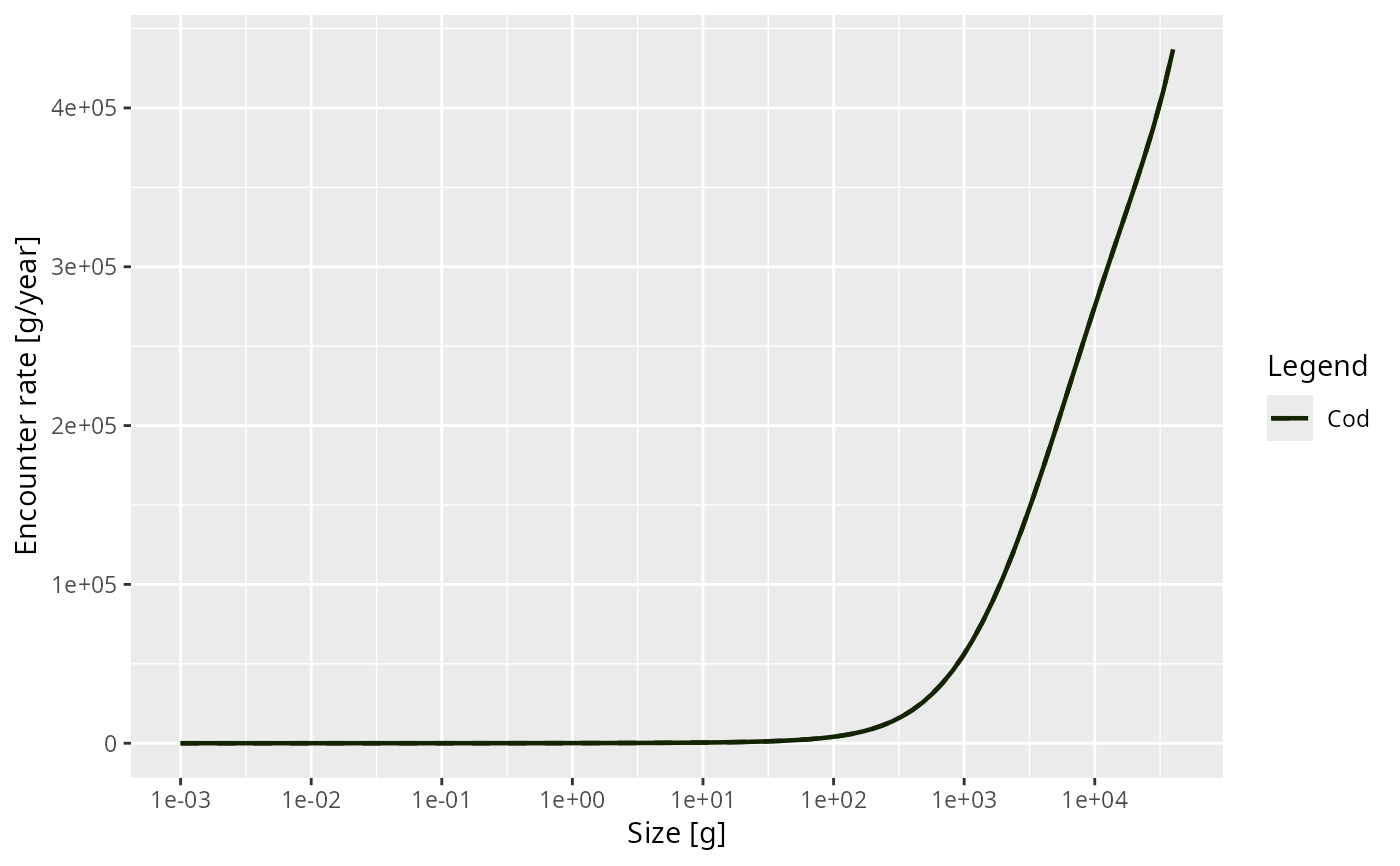
p <- plot(getEncounter(NS_params), species = "Cod")
#> ℹ No `a` column so using a = 0.01 in w = a l^b, with w in g and l in cm.
#> ℹ No `b` column so using the isometric default b = 3 in w = a l^b.
#> ℹ No `a` column so using a = 0.01 in w = a l^b, with w in g and l in cm.
#> ℹ No `b` column so using the isometric default b = 3 in w = a l^b.
#> ℹ No `a` column so using a = 0.01 in w = a l^b, with w in g and l in cm.
#> ℹ No `b` column so using the isometric default b = 3 in w = a l^b.
#> ℹ No `a` column so using a = 0.01 in w = a l^b, with w in g and l in cm.
#> ℹ No `b` column so using the isometric default b = 3 in w = a l^b.
addPlot(p, getEncounter(NS_params), species = "Cod")
#> ℹ No `a` column so using a = 0.01 in w = a l^b, with w in g and l in cm.
#> ℹ No `b` column so using the isometric default b = 3 in w = a l^b.
#> ℹ No `a` column so using a = 0.01 in w = a l^b, with w in g and l in cm.
#> ℹ No `b` column so using the isometric default b = 3 in w = a l^b.
#> ℹ No `a` column so using a = 0.01 in w = a l^b, with w in g and l in cm.
#> ℹ No `b` column so using the isometric default b = 3 in w = a l^b.
#> ℹ No `a` column so using a = 0.01 in w = a l^b, with w in g and l in cm.
#> ℹ No `b` column so using the isometric default b = 3 in w = a l^b.
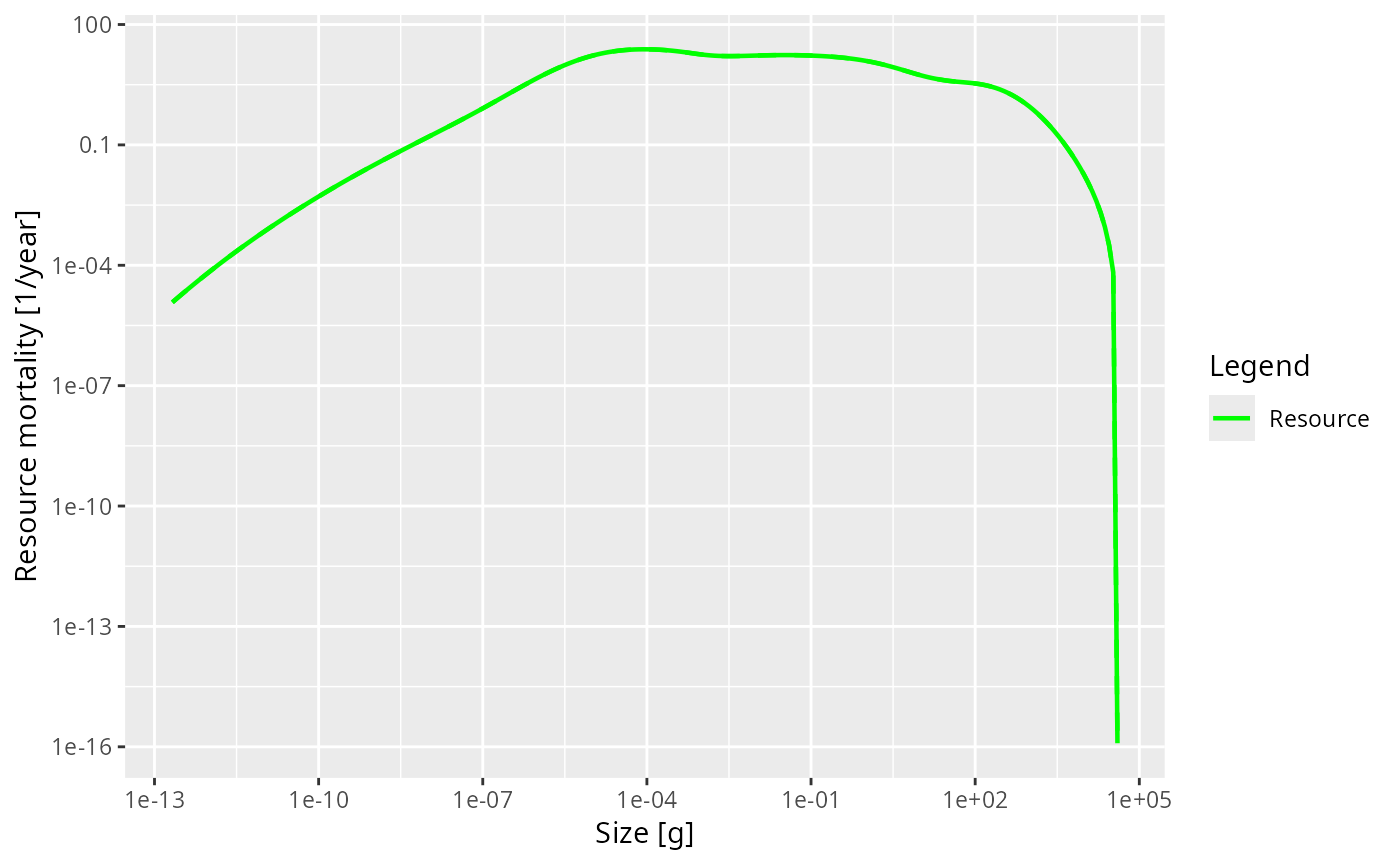
 pr <- plot(getResourceMort(NS_params))
#> ℹ No `a` column so using a = 0.01 in w = a l^b, with w in g and l in cm.
#> ℹ No `b` column so using the isometric default b = 3 in w = a l^b.
addPlot(pr, getResourceMort(NS_params))
#> ℹ No `a` column so using a = 0.01 in w = a l^b, with w in g and l in cm.
#> ℹ No `b` column so using the isometric default b = 3 in w = a l^b.
pr <- plot(getResourceMort(NS_params))
#> ℹ No `a` column so using a = 0.01 in w = a l^b, with w in g and l in cm.
#> ℹ No `b` column so using the isometric default b = 3 in w = a l^b.
addPlot(pr, getResourceMort(NS_params))
#> ℹ No `a` column so using a = 0.01 in w = a l^b, with w in g and l in cm.
#> ℹ No `b` column so using the isometric default b = 3 in w = a l^b.
 # }
# }