
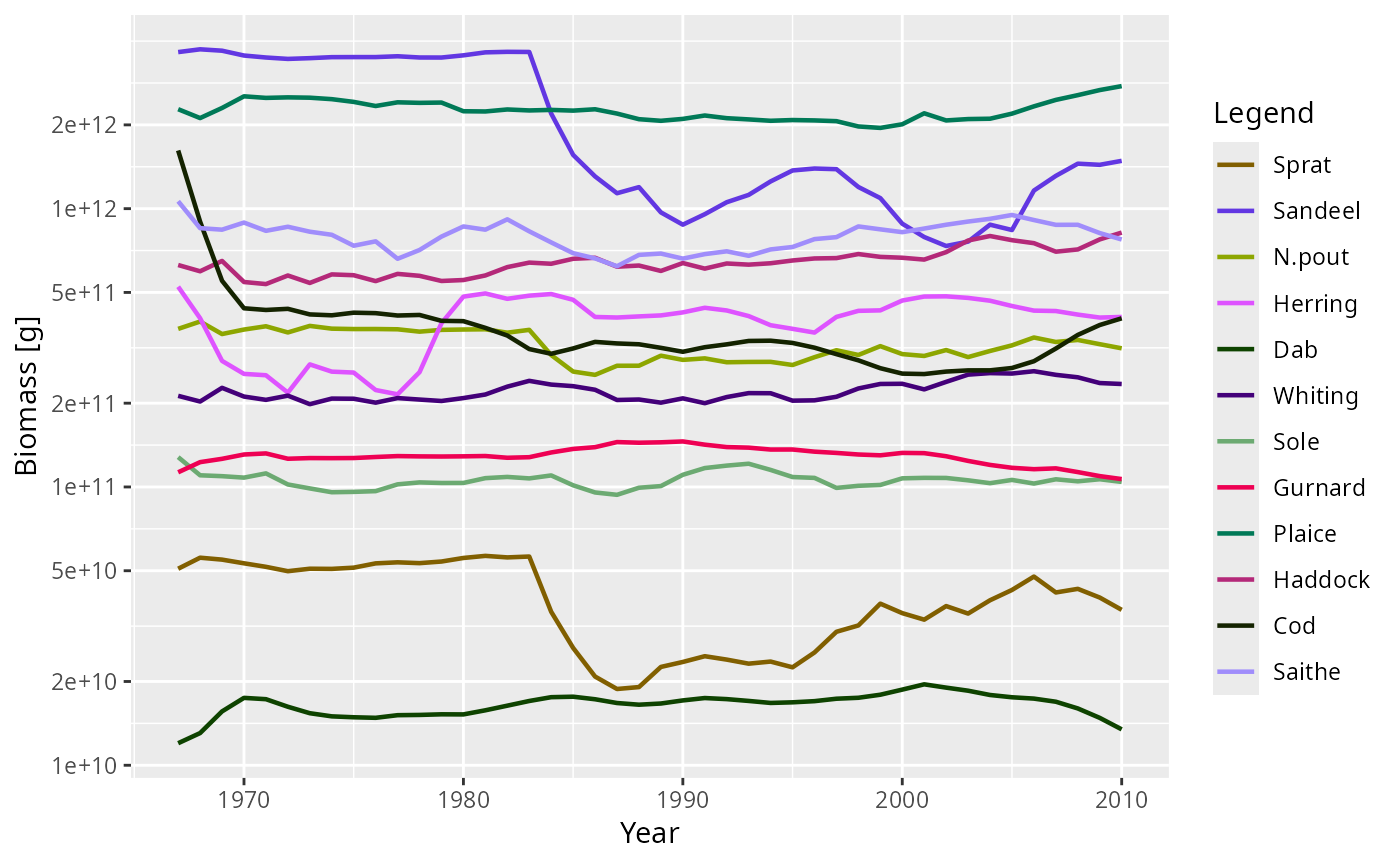
After running a projection, the biomass of each species can be plotted
against time. The biomass is calculated within user defined size limits
(see getBiomass()).
Arguments
- object
An object of class MizerSim
- species
The species to be selected. Optional. By default all target species are selected. A vector of species names, or a numeric vector with the species indices, or a logical vector indicating for each species whether it is to be selected (TRUE) or not.
- tlim
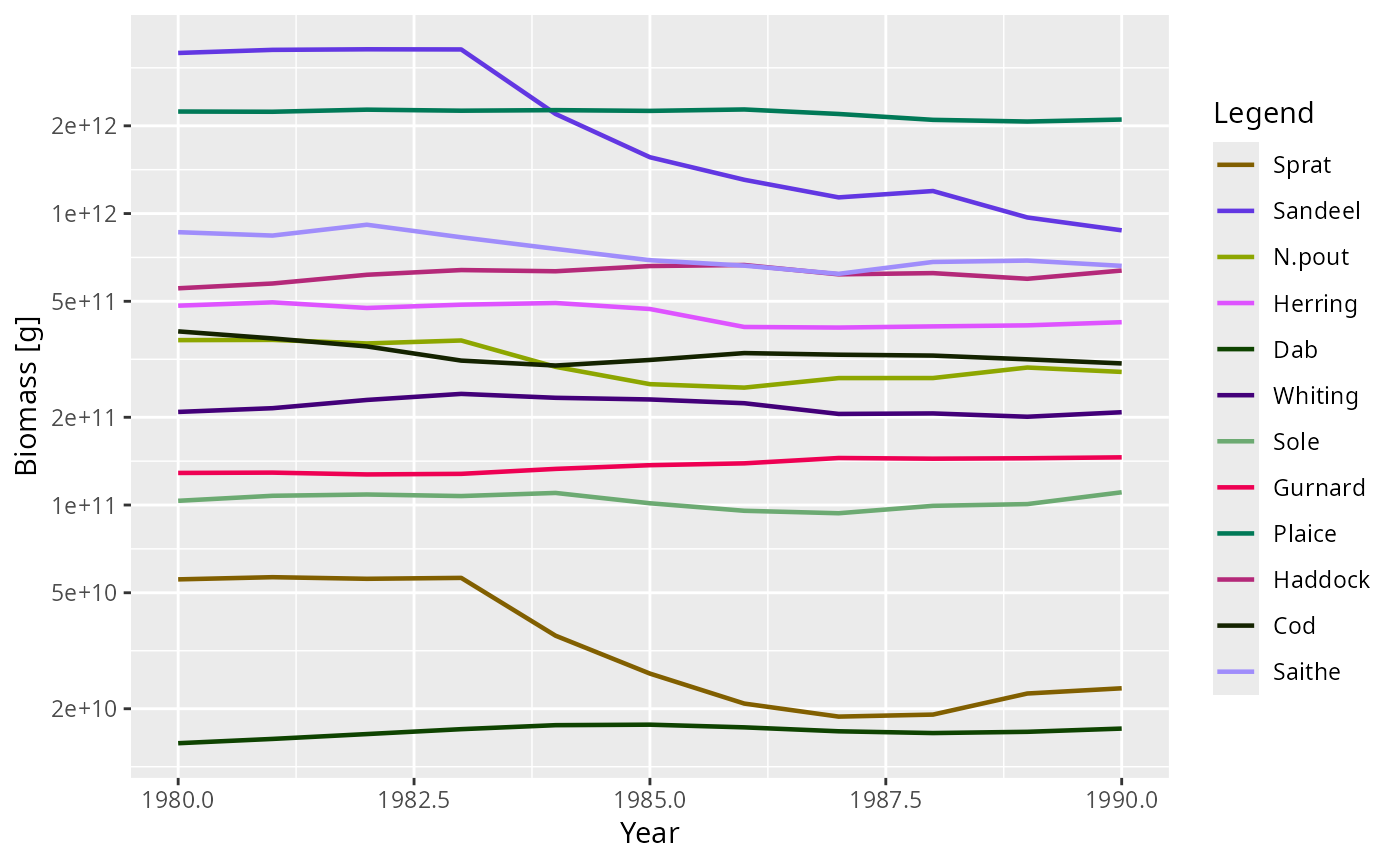
A numeric vector of length two providing lower and upper limits for the time axis, e.g.
c(1980, 2000). UseNAto apply no limit at that end. Default isc(NA, NA).- y_ticks
The approximate number of ticks desired on the y axis.
- ylim
A numeric vector of length two providing lower and upper limits for the y axis. Use
NAto refer to the existing minimum or maximum. Any values below 1e-20 are always cut off.- total
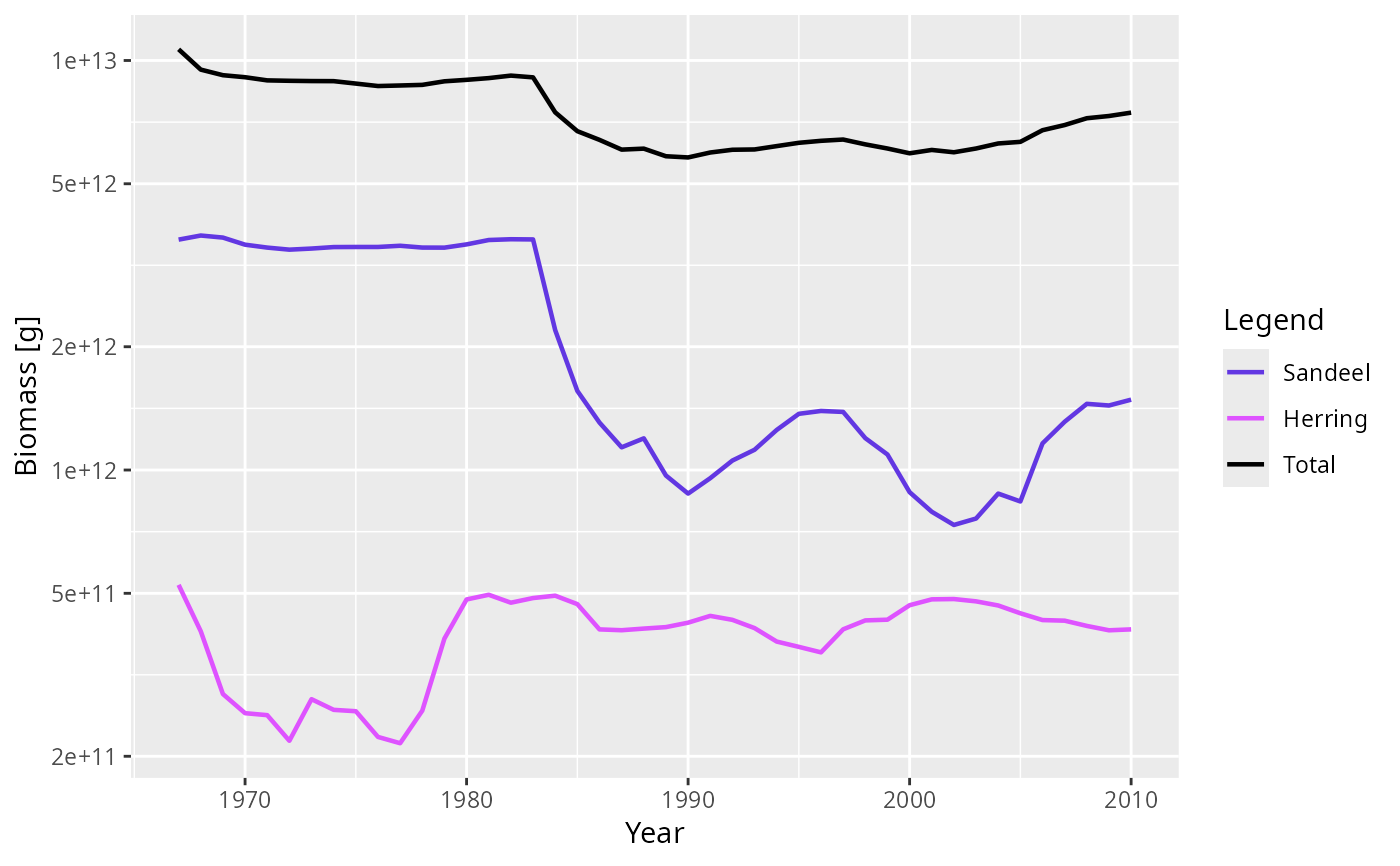
A boolean value that determines whether the total biomass from all species is plotted as well. Default is FALSE.
- background
A boolean value that determines whether background species are included. Ignored if the model does not contain background species. Default is TRUE.
- highlight
Name or vector of names of the species to be highlighted.
- log
Character string specifying which axes should use log10 scales, in the same form as the base
plot()argument. For example,"x","y","xy"or"". If supplied, this overrideslog_xandlog_y. For backward compatibility,TRUEandFALSEare interpreted as setting onlylog_y.- return_data
A boolean value that determines whether the formatted data used for the plot is returned instead of the plot itself. Default is FALSE.
- log_x
If
TRUE, use a log10 x-axis. Default isFALSE.- log_y
If
TRUE, use a log10 y-axis. Default isTRUE.- use_cutoff
If TRUE, the
biomass_cutoffcolumn in the species parameters is used as the minimum weight for each species.- ...
Arguments setting the size range over which the biomass is calculated (see
getBiomass()):min_wSmallest weight in size range. Defaults to smallest weight in the model.
max_wLargest weight in size range. Defaults to largest weight in the model.
min_lSmallest length in size range. If supplied, this takes precedence over
min_w.max_lLargest length in size range. If supplied, this takes precedence over
max_w.
Value
A ggplot2 object, unless return_data = TRUE, in which case a data
frame with the four variables 'Year', 'Biomass', 'Species', 'Legend' is
returned.
See also
plotting_functions, getBiomass()
Other plotting functions:
addPlot(),
animate(),
plot,
plot2(),
plotCDF(),
plotCDF2(),
plotDiet(),
plotFMort(),
plotFeedingLevel(),
plotGrowthCurves(),
plotMizerParams,
plotMizerSim,
plotPredMort(),
plotRelative(),
plotSpectra(),
plotSpectra2(),
plotSpectraRelative(),
plotYield(),
plotYieldGear(),
plotYieldVsF(),
plotting_functions
Examples
# \donttest{
plotBiomass(NS_sim)
 plotBiomass(NS_sim, species = c("Sandeel", "Herring"), total = TRUE)
 plotBiomass(NS_sim, tlim = c(1980, 1990))
 # Returning the data frame
fr <- plotBiomass(NS_sim, return_data = TRUE)
str(fr)
#> 'data.frame': 528 obs. of 4 variables:
#> $ Year : int 1967 1968 1969 1970 1971 1972 1973 1974 1975 1976 ...
#> $ Biomass: num 5.08e+10 5.57e+10 5.48e+10 5.32e+10 5.16e+10 ...
#> $ Species: Factor w/ 12 levels "Sprat","Sandeel",..: 1 1 1 1 1 1 1 1 1 1 ...
#> $ Legend : chr "Sprat" "Sprat" "Sprat" "Sprat" ...
# }
# Returning the data frame
fr <- plotBiomass(NS_sim, return_data = TRUE)
str(fr)
#> 'data.frame': 528 obs. of 4 variables:
#> $ Year : int 1967 1968 1969 1970 1971 1972 1973 1974 1975 1976 ...
#> $ Biomass: num 5.08e+10 5.57e+10 5.48e+10 5.32e+10 5.16e+10 ...
#> $ Species: Factor w/ 12 levels "Sprat","Sandeel",..: 1 1 1 1 1 1 1 1 1 1 ...
#> $ Legend : chr "Sprat" "Sprat" "Sprat" "Sprat" ...
# }